

Vanonpower.com – To reliably power a laptop full-time off-grid, you must calculate your total daily watt-hour consumption and size your solar array to generate at least 150% of that requirement to account for conversion losses, cloudy days, and battery charging efficiency.
Working off-grid requires a fundamental shift from grid-dependent habits to a disciplined energy budget. A standard laptop consumes between 40 and 60 watts per hour under moderate load. If you work an eight-hour day, you are looking at a minimum baseline of 480 watt-hours per day, but once you factor in peripherals like external monitors, external hard drives, and occasional charging of smartphones or mobile hotspots, your daily energy demand often jumps to 700 or 800 watt-hours.
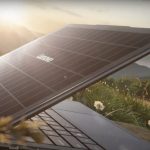
📷 Photo by xahteiwi.eu
The Physics of Energy Budgeting
Solar energy is not a constant stream; it is a variable resource dictated by geographical latitude, season, and meteorological conditions. To calculate the size of your array, you must first determine your “peak sun hours.” This is not the number of hours the sun is in the sky, but the number of hours the sun hits your panels at an intensity of 1,000 watts per square meter. In many regions, you may only receive 4 to 5 peak sun hours per day on average.
If your daily demand is 800 watt-hours, you cannot simply install an 800-watt system. You must account for the efficiency of your solar charge controller, the depth of discharge limits of your battery bank, and the heat loss in your inverter. A safe multiplier is 1.5x to 2x your daily usage to ensure your batteries stay healthy and you remain productive even during multi-day weather events.
Solar Array Sizing Requirements
| Component | Recommendation for Full-Time Work | Reasoning |
|---|---|---|
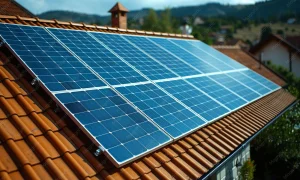
| Solar Panels | 300W – 400W | Provides enough buffer for cloudy days and short winter sunlight. |
| Battery Bank | 100Ah – 200Ah LiFePO4 | Ensures power availability after sunset without damaging battery health. |
| Charge Controller | 30A – 40A MPPT | MPPT controllers are 20-30% more efficient than PWM at converting panel voltage. |
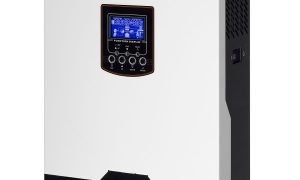
| Inverter | 500W Pure Sine Wave | Clean power is essential for sensitive laptop motherboards and power bricks. |
Step-by-Step Installation and Setup Guide
- Calculate your total daily watt-hour draw by multiplying your laptop’s wattage by the number of hours you work, adding 20% for overhead and peripheral charging.
- Select a solar panel array capacity that provides at least 1.5 times your daily draw divided by your region’s average peak sun hours.
- Install a Maximum Power Point Tracking (MPPT) charge controller, as it optimizes the voltage output from your panels to match the charging requirements of your battery bank.
- Connect your battery bank to the charge controller first, then connect the solar panels to ensure the controller recognizes the battery voltage before receiving current.
- Use a pure sine wave inverter to convert DC battery power to AC for your laptop charger, as modified sine waves can cause overheating and damage to sensitive electronic components.
Common Pitfalls and Operational Risks
One of the most frequent mistakes digital nomads make is relying on “car chargers” or cheap 12V-to-laptop adapters. While these seem efficient, they often lack the voltage regulation required to handle the fluctuating output of a solar-charged battery bank. If the voltage drops too low while you are under a heavy processing load, the laptop may experience a hard shutdown, leading to potential data corruption.
Another danger is the “Depth of Discharge” (DoD) trap. Even if your battery is rated for 200Ah, draining lead-acid batteries below 50% will drastically shorten their lifespan. Even with modern LiFePO4 batteries, which handle deep discharges better, keeping the state of charge between 20% and 80% is the golden rule for longevity. If you find yourself consistently hitting the 20% mark, your solar array is undersized, and you are risking a system failure during a week of poor weather.
Environmental and Positioning Factors
Your solar yield is highly sensitive to the angle of incidence. If you are stationary, a fixed-tilt mount oriented toward the equator is sufficient. However, if you are mobile, the ability to manually tilt your panels toward the sun at midday can increase your yield by up to 25%. Dust, tree shade, and even a single leaf covering a portion of a panel can create a bottleneck effect, significantly reducing the output of the entire array. Always keep your panels clean and prioritize a shadow-free installation site.
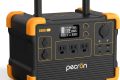
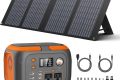
Q: Can I just use a portable power station instead of a DIY system?
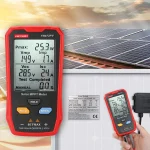
📷 Photo by designindaba.com
A: Yes, portable power stations are excellent for convenience, but they often lack the modularity to expand your capacity later. For full-time work, ensure the power station supports “pass-through charging” so you can charge the unit while simultaneously powering your laptop.
Q: Why is a pure sine wave inverter mandatory for laptops?
A: Laptops use sophisticated switching power supplies that expect clean, smooth electrical waves. Modified sine wave inverters produce “choppy” power that can cause your laptop power brick to whine, run hot, or eventually fail entirely.
Q: How do I know if my system is sized correctly?
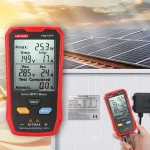
📷 Photo by globalsources.com
A: Monitor your battery voltage or state-of-charge percentage at the end of every workday. If your batteries are consistently back to 100% by mid-afternoon, you have a healthy buffer; if they are struggling to reach 100% before sunset, you need to add more solar capacity or reduce your power consumption.
Ultimately, off-grid work is an exercise in resource management. By investing in an oversized array—aiming for 400 watts rather than the bare minimum of 200—you create a safety margin that allows you to work through the inevitable challenges of nature, ensuring your professional life remains uninterrupted regardless of your location.
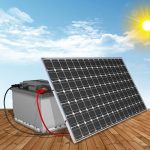
📷 Photo by pandwsolar.com